In 2026, remote home security is less about watching every corner and more about knowing when something needs attention. A motion alert at 2 a.m. should tell you what happened, where it happened, and whether you need to act. The best setup pairs cameras with door and window sensors, reliable notifications, and a clear plan for checking unusual activity. Small details matter.
Criminal justice researcher Dr. Ben Stickle has studied burglary prevention and home security. His work points to a practical principle: monitoring is most useful when alerts connect to a thoughtful response. That is not a verbatim quotation, but a summary of the idea behind effective security. A camera alone cannot verify every alert, and a weak Wi-Fi signal may leave a porch feed frozen when you need it. Test your equipment in the actual rooms and entryways you want to protect.
This guide explores how to monitor home security remotely using phone apps, cameras, smart sensors, and sensible notification settings. It will also consider privacy, account protection, backup power, and the everyday reliability of a system. No setup is perfect. A missed alert or confusing app menu can expose a gap you did not expect. The goal is not constant vigilance; it is a dependable view of home activity, with enough context to respond calmly.
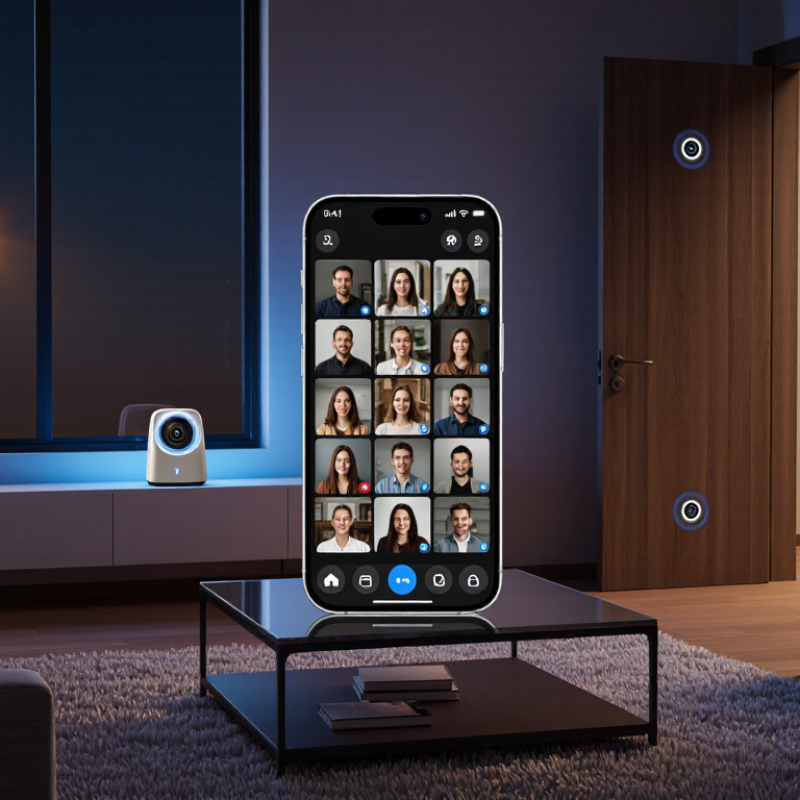
Remote monitoring works best when every device has a clear job. A front-door camera can show who arrived, while a contact sensor reports whether the door opened. Motion sensors in a hallway may add context, though pets or moving curtains can trigger alerts. Decide which events deserve a notification before enabling every alert. Fewer, useful alerts are easier to notice.
Choose cameras based on the view you need, not simply the number of devices. Check that the image covers entrances without pointing into a neighbor’s private space. Sensors can fill gaps cameras miss, such as a basement window or a garage entry. Pair important sensors with an alarm that is loud enough to hear at home. Test the alert path, too. A warning that reaches a phone several minutes late may not help much.
App access should be simple and dependable. Use a strong, unique password, enable available account protections, and limit access to household members who need it. Test the system from outside the home using a trusted connection; confirm that live video, sensor status, and alarm controls work. Keep notifications on for critical events, but silence routine updates during sleep if they create alert fatigue. No setup is perfect. Review camera angles and alert settings after furniture moves, a pet joins the household, or daily routines change.
Remote monitoring starts with choosing the right camera for each view. A wide driveway may need a broader field of view, while a gate benefits from detail near face height. Higher resolution can help identify a delivery label, but it also uses more storage and bandwidth. Placement matters. A well-aimed 2K camera may show more useful detail than a higher-resolution camera pointed at a bright wall.
Check night vision in the actual conditions around your home. Infrared can reveal movement in darkness, yet nearby glass may reflect its light and wash out the image. A porch lamp can help, but test for glare and deep shadows after sunset. Details matter. Review sample footage on your phone, not just the camera’s live preview.
Storage determines how much evidence remains available after an alert. Estimate retention using the number of cameras, recording quality, and whether recording runs continuously or only when motion occurs. Motion recording can save space, though missed events are possible if sensitivity is too low. Cloud storage supports off-site access; local storage can keep footage available during an internet outage. Not always. Compare actual retention estimates, set a realistic review period, and protect accounts with strong, unique passwords and two-step verification. I would recheck these settings after changing camera angles or recording schedules; it is easy to assume the old estimate still applies.
Estimated continuous-recording retention per 1 TB of storage, by camera resolution. Estimates assume average bitrates of 2 Mbps for 1080p, 4 Mbps for 2K, and 8 Mbps for 4K; actual results vary with frame rate, compression, scene activity, and night-vision conditions.
Higher resolution can capture more detail but uses storage faster. Check a camera’s actual bitrate and test nighttime footage before choosing storage capacity or retention settings.
2026 Best Ways to Monitor Home Security Remotely?
A secure remote login starts with a password that is difficult to guess and unique to your account. NIST guidance sets a 15-character minimum for passwords used as a single factor. A longer passphrase can be easier to remember than a jumble of symbols. For example, combine several unrelated words rather than using a street name or birthday. Length helps, but it does not make a reused password safe.
Remote monitoring also depends on the account’s other safeguards. Turn on multifactor authentication when available, and keep the phone or computer used to check alerts updated. Avoid signing in from shared devices, and review account activity for unfamiliar logins. A password manager can create and store long, unique passwords. It is easy to overestimate what a password alone can protect; a lost, unlocked phone still deserves attention.
Tips: Use at least 15 characters for a single-factor password. Never reuse it. Enable multifactor authentication, and secure the email account used for password recovery. Check login alerts promptly. Small habits matter.
| Remote-monitoring measure | What it helps you do | Practical security guidance | Important limitation |
|---|---|---|---|
| Use a unique, long account password | Sign in to a security camera, alarm, or home-monitoring account from outside the home. | NIST SP 800-63B-4 specifies a minimum of 15 characters when a password is used as a single authentication factor. Use a distinct password for each account; a password manager can help create and store it. | A long password does not protect an account if it is reused, exposed, or entered on a phishing site. |
| Enable multifactor authentication (MFA) | Add a second verification step when logging in remotely. | Choose an available authenticator app, security key, or other supported second factor. NIST's password guidance allows a lower minimum of 8 characters when the password is used as part of MFA; a longer unique password remains a sensible choice. | MFA availability and supported methods vary by service. Protect recovery codes and account-recovery settings as well. |
| Prefer a secure remote-access path | View devices or manage the home network while away. | Use the device maker's supported secure access method or a properly configured VPN to reach the home network. Keep the router and remote-access software updated, and use MFA where supported. | A VPN does not automatically make every camera or account secure. Avoid exposing device administration pages directly to the public internet. |
| Turn on event and sign-in alerts | Receive notice of motion, alarm activity, device status changes, or unfamiliar account access when supported. | Enable relevant notifications, verify the contact details that receive them, and review alert settings after changing phones or accounts. | Notifications may be delayed, filtered, or unavailable during power, internet, or service outages. They are not a substitute for emergency services. |
| Keep devices and apps current | Reduce exposure to known software vulnerabilities and maintain compatibility with secure login features. | Enable automatic updates when appropriate; otherwise, check regularly for updates to cameras, alarm equipment, mobile apps, and router firmware. | Update availability and support periods differ by device. Replace equipment that no longer receives security updates when feasible. |
| Review access and recovery settings | See who can view footage or control devices and remove access that is no longer needed. | Use separate accounts where available, grant only the permissions each person needs, remove former users, and check recovery email addresses and phone numbers periodically. | Menu names and access controls differ across systems; review the service's current account and privacy settings. |
Password guidance reference: NIST Special Publication 800-63B-4, Digital Identity Guidelines—Authentication and Authenticator Management. A 15-character minimum applies to passwords used as a single factor; it is not a blanket minimum for every password used with MFA.
Remote home security is only useful when alerts reach the right person and accounts stay protected. A major breach report found human factors involved 68% of breaches. That figure is a reminder: strong cameras cannot compensate for reused passwords, rushed approvals, or ignored warnings. Small details matter.
Enable multi-factor authentication on every security account, especially for administrators and shared household access. Use an authenticator app or security key where available; text messages are better than no second factor, but can be less robust. Give each adult a separate login, and remove access when a roommate, contractor, or family member no longer needs it. It is easy to forget old permissions.
Set alerts for unfamiliar sign-ins, camera outages, disabled motion detection, and changes to recovery details. Keep notifications specific, so a porch movement alert does not bury a genuine account warning. Test them by signing in from a new device and confirming the message arrives promptly. Then check whether another trusted adult can receive critical alerts if your phone is off. A weekly review may feel excessive. Still, it can reveal a dead battery or a setting changed by mistake. No system is perfect; MFA can be annoying, and alerts can become noise. Tune them occasionally instead of turning them off.
Remote monitoring is only useful when the system stays reachable during ordinary failures. Check the home network from the rooms where cameras and sensors are installed. A video stream that works beside the router may freeze near a concrete wall or basement stairwell. Try viewing it over mobile data, not just home Wi-Fi. Small dead zones matter. Check alerts after restarting the router, too, and note how long the system takes to reconnect.
Backup power, permissions, and updates deserve the same attention. A battery backup can keep essential equipment running during a short outage, but test it instead of trusting the indicator light. Confirm which household members can view footage, change settings, or invite others. Remove access that is no longer needed. Review update settings regularly; delayed security updates can leave known weaknesses unaddressed. Still, automatic updates may arrive at an inconvenient time, so check that recordings and alerts resume afterward. Reliability is rarely perfect, and that is worth admitting.
Tips: Keep a simple test log with dates, outage duration, and missed alerts. Review it monthly. Use strong, unique passwords, and enable account alerts for unfamiliar sign-ins. Don’t store more footage than you need; convenience can quietly become a privacy risk.
A front-door camera shows arrivals; a contact sensor confirms the door opened. Hallway motion sensors add context, but pets may trigger alerts. Choose only events worth interrupting you.
Aim cameras at entrances and useful details, such as a gate near face height. Avoid views into neighbors’ private spaces. Recheck angles after moving furniture.
Higher resolution can reveal small details, like a delivery label, but uses more storage and bandwidth. A well-aimed 2K camera may be more useful than a sharper image of a bright wall.
Review footage after sunset on your phone. Infrared can reflect off nearby glass, while porch lights may create glare or deep shadows. Test the actual view.
Estimate retention using camera count, recording quality, and recording schedule. Motion recording saves space, but low sensitivity may miss events. Not always.
View the system over mobile data, then check it from rooms far from the router. Restart the router and confirm alerts return. Small dead zones matter.
Test battery backup during a brief power interruption instead of trusting its indicator light. Give access only to household members who need it, and remove outdated permissions. I used to trust the status light; that was not enough.
Keep critical notifications on and silence routine updates during sleep if they become distracting. Use unique passwords, enable two-step verification, and avoid keeping footage longer than needed. Test it monthly.
Knowing how to monitor home security remotely starts with defining what you need to check: live camera views, door and window sensors, alarms, and reliable access through a mobile app. Choose cameras based on useful image resolution, night vision, and how long recordings should be retained. Consider where footage is stored and whether the system can keep recording when the internet connection is interrupted.
Protect remote access with strong, unique passwords of at least 15 characters when using a single sign-in factor, and enable multi-factor authentication whenever available. Turn on alerts for important events, but adjust them to avoid unnecessary notifications. Test the system regularly, including network connectivity, backup power, account permissions, and software updates. Review privacy settings and limit access to people who need it. These practical steps can make remote monitoring more dependable while helping protect both your home and personal information.

SMTR SmartLiving