Facial recognition access control is changing how people enter offices, laboratories, apartment buildings, and restricted work areas. Instead of using a physical key or typed code, a camera checks whether a person matches an approved identity record. The process looks simple at a doorway, but several technical steps happen within seconds. This guide explains what is facial recognition access control and how it works in practical settings.
A camera first captures a face and locates key features, such as the distance between the eyes and the shape of the jaw. The system converts these measurements into a mathematical facial template. It then compares that template with an authorized record stored in a controlled database. Liveness detection may check for natural movement, depth, or blinking. If the confidence score meets the organization’s threshold, the controller can release the electronic lock and record the event.
It is not magic.
Reliable deployment requires more than accurate software. Lighting, camera position, facial coverings, aging, and image quality can affect results. A false rejection may delay an employee at a secure entrance. A false match can create a serious safety concern. For this reason, responsible systems use encryption, limited data retention, clear user notice, and carefully managed access permissions. They should also provide a practical backup method when recognition fails. In my experience, convenience improves when testing includes real doorways, changing daylight, and ordinary user behavior—not just perfect laboratory images. The technology remains useful, but its limits deserve honest attention.
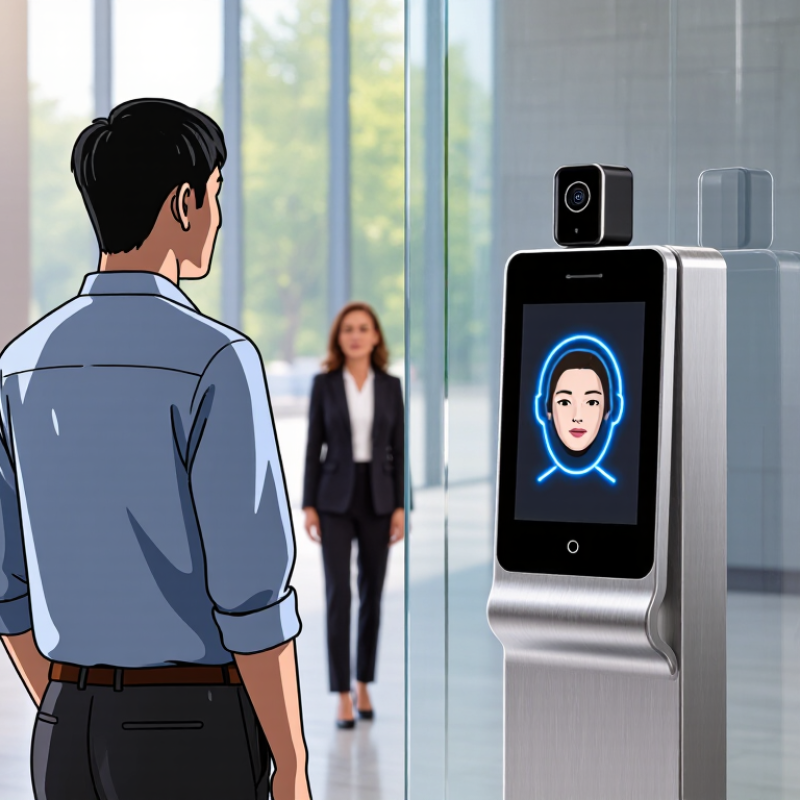
How Does Facial Recognition Access Control Work?
What Facial Recognition Access Control Is and What It Regulates
Facial recognition access control uses a camera to compare a person’s face with an approved digital profile. The system checks facial features, not a photograph alone. It may measure the distance between the eyes, nose, and jawline. If the match meets a set confidence level, the connected door can unlock.
The system regulates who may enter, where they may go, and when access is available. For example, an employee might enter a laboratory between 8 a.m. and 6 p.m. A visitor may receive access only to a reception area. Administrators can also review entry times, failed attempts, and temporary permissions. These records need clear retention rules and restricted access.
It is not flawless.
Lighting, masks, aging, camera angles, and similar faces can affect results. A poor installation may create unnecessary refusals. For that reason, responsible systems offer another verification method and human review. Organizations should explain how facial data is collected, stored, used, and deleted. They should also test accuracy across different users, rather than trusting a single demonstration.
Access policies should match the building’s real risks. A small office may need simple schedules and audit logs. A high-security site may require two-step verification. Local privacy requirements can differ, so qualified professionals should review the design before deployment. A fast door opening is useful, but dependable control matters more.
| Control Stage | How It Works | Data Processed | System Output | Access Rule Regulated | Security and Compliance Consideration |
|---|---|---|---|---|---|
| 1. Enrollment | A person is registered by capturing one or more facial images under controlled conditions. | Facial images, user identifier, authorization level, enrollment date, and optional expiration date. | A user profile linked to an access credential. | Defines who is eligible to request access and which areas may be assigned. | Provide notice about biometric processing, restrict enrollment to authorized personnel, and verify the person’s identity before registration. |
| 2. Face Detection | A camera identifies whether a human face is present in the captured scene and locates the face within the image. | Live camera frames, face location, image quality indicators, and lighting conditions. | A face region suitable for further analysis or a request to reposition the user. | Determines whether the system can begin an identity check. | Use clear positioning guidance and avoid storing unnecessary video frames when they are not required for the access decision. |
| 3. Image Quality Check | The system evaluates factors such as blur, occlusion, pose, brightness, and face size before matching. | Quality score, camera image, head pose, illumination level, and occlusion indicators. | Accept, retry, or reject the capture because it is unsuitable for reliable comparison. | Prevents a low-quality image from automatically causing an access denial or unreliable match. | Offer a retry or alternative authentication method so that poor lighting, disability, facial coverings, or camera limitations do not create unfair barriers. |
| 4. Liveness Detection | The system checks whether the presented face is from a live person rather than a photograph, replayed video, mask, or other presentation attack. | Motion signals, depth information, texture patterns, challenge responses, or other anti-spoofing indicators. | Live, suspected spoof, or inconclusive. | Blocks access when the system cannot establish that the credential is being presented by a live user. | Use anti-spoofing controls, monitor false rejection rates, and provide a fallback process when liveness detection is inconclusive. |
| 5. Feature Extraction | An algorithm converts facial characteristics into a mathematical representation for comparison. | Facial image and a derived biometric template or feature vector. | A template used for matching rather than a simple name or password. | Supports identity verification while separating the biometric comparison process from the physical door mechanism. | Protect templates with access controls and encryption; biometric templates should not be treated as ordinary, low-risk profile data. |
| 6. Face Matching | The live facial template is compared with one authorized template or a permitted group of templates. | Live template, stored template, matching score, and configured decision threshold. | Verified match, no match, or uncertain result. | 1:1 verification Confirms a claimed identity. 1:N identification Searches a permitted gallery for a possible identity. |
Use the narrowest matching mode needed for the stated purpose. A threshold is a risk setting, not proof of identity, and should be tested for demographic performance differences. |
| 7. Policy Decision | The access controller combines the match result with authorization rules, time schedules, location rules, and account status. | Match result, user role, door or zone, time, date, account status, and access schedule. | Permit, deny, or request a second factor or human review. | Regulates which person may enter which location, during which period, and under what conditions. | Apply least-privilege access, separate biometric verification from authorization administration, and maintain a documented override process. |
| 8. Door or Gate Action | The access controller sends a secured command to unlock, keep locked, or trigger an alarm according to the policy result. | Decision code, device identifier, timestamp, and door or gate status. | Physical access granted, refused, or escalated. | Enforces the final entry decision at the protected boundary. | Use fail-safe or fail-secure behavior according to life-safety requirements, protect controller communications, and test emergency release procedures. |
| 9. Audit Logging | The system records events so administrators can investigate access activity and system failures. | Event type, timestamp, device or zone, decision, user reference, and error or override code. | An auditable access history. | Regulates accountability for successful entries, denied attempts, administrative changes, and emergency overrides. | Limit log access, protect logs from alteration, synchronize system clocks, and define a documented retention period. |
| 10. Retention and Deletion | Biometric templates, images, and event records are retained only for defined operational, legal, or security purposes. | Templates, captured images, transaction logs, consent or notice records, and deletion status. | Retained, archived, anonymized, or securely deleted data. | Regulates how long access-related biometric information remains available after authorization ends. | Use purpose limitation, data minimization, secure deletion, documented retention schedules, and a process for handling access or deletion requests where applicable. |
| 11. Alternative Authentication | A card, PIN, mobile credential, security desk, or other approved method is used when facial recognition is unavailable or unsuitable. | Alternative credential, reason for fallback, operator action, and access decision. | Access granted or denied without relying solely on facial recognition. | Maintains authorized access during camera failure, poor conditions, accessibility needs, or a user’s inability or refusal to use biometric authentication. | Document when fallback is allowed, prevent it from becoming an uncontrolled bypass, and ensure the alternative method has appropriate security and privacy controls. |
It uses a camera to compare a person’s facial features with an approved digital profile. The system may measure eye spacing, nose position, and jaw shape. It is not just checking a photograph.
It can control who enters, where they go, and when access is allowed. An employee might enter a laboratory from 8 a.m. to 6 p.m. A visitor may reach only the reception area.
A camera captures several facial images from different angles. The system converts facial details into a mathematical template. That template supports later identity checks.
Another camera captures the person during entry. Software compares the new template with the stored template. A similarity score then determines whether the match meets the required threshold.
Liveness detection looks for natural movement, depth, or changing light. It helps distinguish a real person from a printed image or screen. It is not magic.
Poor lighting, masks, glasses, aging, and camera angles can reduce accuracy. Two similar faces may also confuse the system. Small positioning changes can produce different results.
The system should offer another verification method and human review. A mistaken rejection could delay an authorized worker. A mistaken acceptance could create a serious security gap.
Organizations should explain how data is collected, stored, used, and deleted. Access to entry records should remain limited. Encryption and clear retention periods are important.
No. Human oversight remains necessary, especially after failed matches or unusual activity. Teams should test accuracy across different users and conditions. One demonstration proves very little.
Facial recognition access control is a security system that uses a person’s facial features to manage entry to a building, room, device, or restricted area. This summary explains what is facial recognition access control and how it works: a camera captures a user’s face, detects key characteristics, and converts them into a mathematical biometric template. The system then compares this template with authorized records to verify whether the person’s identity matches an approved profile.
After verification, the access controller follows predefined rules. It may unlock an entrance, record the event, request additional authentication, or deny access and send an alert. System performance depends on image quality, lighting, camera placement, facial angles, database accuracy, processing speed, and protection against unauthorized use. Reliable operation also requires secure data storage, regular maintenance, transparent user notice, and careful privacy management. When designed responsibly, facial recognition access control can support efficient identity verification while balancing security, accuracy, reliability, and personal data protection.

 SMTR SmartLiving