How to Upgrade Traditional Intercom Systems?

Time:2026-10-22 Author:Liam
0%

Traditional intercoms often fail quietly. Audio becomes faint. Door releases respond slowly. Visitor records disappear when storage fills. Yet many buildings still depend on these systems for daily access decisions.

This guide explains how to upgrade traditional intercom systems without replacing every cable at once. The opportunity is substantial. Grand View Research estimates that the global smart home market will reach USD 537.01 billion by 2030, driven by connected security and remote monitoring. MarketsandMarkets also projects strong growth in smart building technologies, including access control, cloud platforms, and connected devices. These figures do not describe intercoms alone, but they show the direction of building security.

“Security is a process, not a product,” security technologist Bruce Schneier has said. His warning fits intercom modernization closely. A video panel alone does not create a secure system. The upgrade should connect clear audio, encrypted communication, visitor verification, mobile credentials, event logs, backup power, and controlled administration. NIST’s Cybersecurity Framework 2.0 also supports this approach through governance, protection, detection, response, and recovery.

Start with the wiring, power supply, door hardware, network capacity, and resident needs. Then compare IP, 2-wire IP, cellular, and hybrid options. A practical pilot at one entrance may reveal problems that a polished proposal hides. That is the uncomfortable part. Modern equipment can still create old failures when installation, permissions, and maintenance are neglected. This guide examines those details, helping property owners choose an upgrade that is safer, measurable, and realistic.
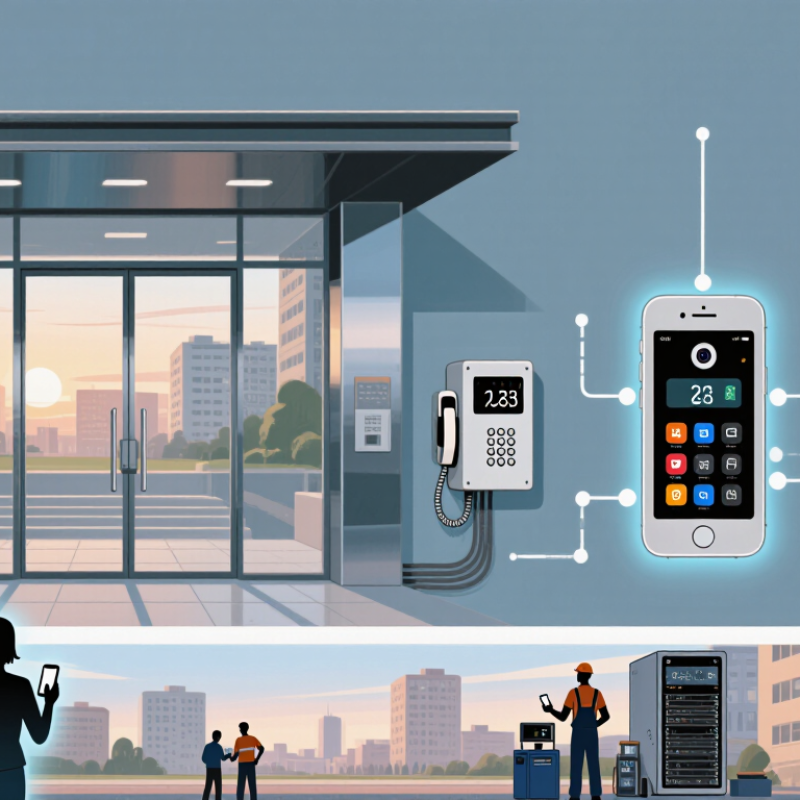
How to Upgrade Traditional Intercom Systems?

Assessing the Limitations of a Traditional Intercom System

Traditional intercom systems often work, but their limits become obvious during daily use. Many rely on fixed wiring, indoor handsets, and one-to-one calling. A visitor may press the button downstairs while nobody hears it upstairs. There is no mobile alert. There is no visual record.

Parks Associates reported in 2023 that 42% of U.S. internet households owned at least one smart-home device. This expectation makes a voice-only intercom feel increasingly outdated.

Legacy systems also create maintenance problems. Technicians may struggle to find replacement parts or trace cables inside finished walls. Security deserves closer attention. Verizon’s 2024 Data Breach Investigations Report found that human involvement appeared in 68% of breaches. An unpatched connected controller can add avoidable exposure.

Still, replacement is not always the best answer. A well-maintained wired system can remain stable, especially in buildings with unreliable wireless coverage. My initial assumption was too simple: newer is not automatically safer.

Tips:

Test every handset during peak hours. Record dead zones and delayed calls. Check whether the existing wiring can support video, remote answering, and controlled access. Request a documented update policy before selecting new equipment. Avoid systems that depend on unclear subscriptions or unsupported software. A practical upgrade should improve visibility without creating a second maintenance burden. Small failures matter. A missed delivery, weak microphone, or frozen screen can reveal more than a product brochure.

Choosing the Right Upgrade Path for Your Building

How to Upgrade Traditional Intercom Systems?

Choosing the right upgrade path starts with the building, not the newest device. Inspect existing cables, entry panels, indoor handsets, power supplies, and network coverage. A small apartment block may only need clearer audio and controlled door release. A larger property may require video, mobile access, visitor records, and remote management.

A full IP system can offer flexible expansion, but it may demand new cabling, network protection, and staff training. Reusing existing wiring can reduce disruption and installation costs. However, older cables may create unstable audio or delayed video. A hybrid upgrade often provides a practical middle path. It keeps usable components while replacing weak points. Test one entrance before changing every floor.

Daily experience matters. Residents should open the door without confusing menus or unreliable apps. Older users may prefer a familiar indoor unit. Delivery staff need clear instructions near the entrance. Accessibility should guide screen height, sound levels, and button design. Local safety and privacy requirements also deserve professional review.

Ask installers for a written survey, maintenance plan, warranty terms, and future replacement costs. Do not judge the project by equipment price alone. A cheaper system can become expensive after repeated faults. In practice, rushed upgrades often overlook backup power and network resilience. That mistake can leave residents without entry communication during an outage. Allow time for testing, feedback, and a second design review before final installation.

Preparing Wiring, Power, and Network Infrastructure

How to Upgrade Traditional Intercom Systems?

Upgrading a traditional intercom is rarely a handset replacement. It is an infrastructure project. Start by tracing every cable from the entrance station to each indoor unit. Replace damaged or unshielded wiring where possible. Cat6 supports future networked devices, but poor termination still causes unstable audio and video. Keep data cables away from fluorescent ballasts, motors, and high-voltage lines. Label both ends clearly. One missed label can delay commissioning.

Power deserves equal attention. Calculate the load for stations, controllers, locks, and auxiliary devices. Leave spare capacity instead of designing at the limit. Power over Ethernet can simplify installation, but cable distance, switch output, and backup duration must be checked together. A small UPS can protect communication during short outages. It cannot fix an overloaded circuit. This is where many plans become optimistic.

Network design should use a dedicated VLAN, controlled access rules, and monitored switches. The 2024 Verizon Data Breach Investigations Report found human involvement in 68% of breaches, making default passwords and shared accounts unacceptable. The 2024 Ponemon Institute report placed the average global data breach cost at 4.88 million dollars. Intercom traffic should not share unrestricted access with office devices. NIST Cybersecurity Framework 2.0 also emphasizes asset inventories and continuous monitoring. Test every call path, camera angle, unlock relay, and fail-safe response. Real buildings are messy. A neat wiring diagram is not proof of reliable operation.

Installing and Configuring New Intercom Components

Upgrading a traditional intercom begins with the existing wiring, not the new handset. In older buildings, cables may share crowded conduits, show oxidation, or lack clear labels. I photograph every terminal before disconnection and mark each wire with a numbered sleeve. Small labels prevent expensive confusion. Check the panel, indoor stations, lock release, power supply, and cable distance together. A replacement component can appear compatible while exceeding the old transformer’s capacity. Use the installation manual and local electrical requirements to confirm voltage, grounding, and enclosure ratings.

With power isolated, mount the new panel firmly and keep low-voltage conductors separated from mains wiring. I leave a gentle service loop behind each unit because tight wires fail during later repairs. Connect one station at a time, then test calling, voice clarity, door release, and auxiliary inputs. Listen near the entrance. Background hum often points to poor grounding, damaged cable pairs, or a weak power source. If the system supports configuration software, set addresses manually and record every change. Default settings are convenient, but they should not remain undocumented.

Before handover, test the intercom during daytime and evening conditions. Temperature, lighting, and network load can expose faults missed during a quick check. I also ask a resident to operate the system without guidance. Their hesitation reveals unclear buttons or an unsuitable mounting height. One mistake deserves attention: I once trusted an old wiring diagram and reversed two audio terminals. The fix was simple, but the delay was avoidable. Keep the final diagram, voltage readings, and test results inside the service record. This may feel excessive. It makes the next repair much safer.

PoE Power Planning for New Intercom Components

This chart shows the maximum power available from common IEEE 802.3 PoE types at the power-sourcing equipment. During an intercom upgrade, select a PoE class that can support the combined demand of door stations, indoor monitors, controllers, and network accessories.

Testing System Performance and Planning Future Maintenance

Traditional intercom systems often appear reliable until users report unclear speech or delayed calls.

A proper upgrade begins with performance testing, not immediate equipment replacement. During site inspections, I check voice clarity at busy doors, stairwells, and reception areas. I also measure call delays and inspect cables for loose connections, moisture, or aging insulation. Small faults can create major communication problems.

Power stability deserves attention.

A brief outage can disable the entire communication path. Test backup power under realistic load, not only during a quick visual check. Review access events and fault logs after testing. These records reveal repeated failures that users may not report.

I once focused too heavily on audio quality and missed a weakening power supply. That mistake changed my maintenance checklist.

Future maintenance should follow risk, usage, and system age.

High-use entrances may need quarterly inspections, while quieter areas may require twice-yearly checks. Clean speaker openings carefully, tighten terminals, and confirm cable labeling. Train staff to describe faults with time, location, and symptoms. Clear reports reduce unnecessary troubleshooting. Plans should remain flexible because building layouts and occupancy can change. Recheck performance after renovations, network changes, or electrical work. A system can pass today and still need closer observation next month.

FAQS

What should I inspect before upgrading a traditional intercom?

Inspect cables, entrance panels, indoor units, power supplies, and network coverage. Check one entrance first. A small building may only need clear audio and reliable door release. Larger properties may need video, mobile access, visitor logs, and remote management.

Is a full network-based system always the best choice?

No. A full network system can expand easily, but it may require new cables, stronger security, and staff training. Reusing suitable wiring can reduce disruption. However, old cables may cause noisy audio or delayed video. The newest option is not automatically the wisest one.

When is a hybrid upgrade practical?

A hybrid upgrade keeps usable components and replaces weak points. For example, existing indoor units may remain while entrance equipment and cabling change. This can limit disruption across occupied floors. Test the arrangement at one entrance before approving the whole project.

How can the system remain easy for residents to use?

Residents should open doors without confusing menus or unreliable applications. Older users may prefer familiar indoor controls. Delivery workers need clear entrance instructions. Screen height, sound level, and button size should support different abilities. Small details matter.

What wiring practices help prevent future problems?

Trace each cable from the entrance station to every indoor unit. Replace damaged or poorly protected wiring where practical. Keep data cables away from motors, fluorescent equipment, and high-voltage lines. Label both ends clearly. One missing label can delay testing for hours.

How should power capacity be planned?

Calculate the load for stations, controllers, locks, and extra devices. Leave spare capacity instead of operating at the limit. Network-powered equipment can simplify installation, but cable length and switch output need checking. A small backup unit helps during short outages. It cannot repair an overloaded circuit.

What network protections should an upgraded intercom include?

Use a dedicated network segment, controlled access rules, monitored switches, and unique administrator passwords. Avoid shared accounts and default credentials. Keep intercom traffic separate from ordinary office devices. Maintain an asset list and review unusual activity. A tidy diagram alone proves very little.

What should be tested before final installation?

Test every call route, camera angle, unlock relay, backup supply, and safe response during power loss. Ask residents to try normal daily tasks. Include staff and delivery workers in the trial. Allow time for feedback and a second design review. The first plan may still be wrong.

Conclusion

Upgrading an older intercom system begins with evaluating its current limitations, such as unclear audio, unreliable door release functions, outdated wiring, or limited support for multiple users. The next step is to choose an upgrade path that matches the building’s layout, security needs, budget, and future expansion plans. Options may include improving selected components or replacing the system with a modern solution that supports clearer communication, video, mobile access, and centralized management.

A successful project also requires careful preparation of wiring, power supplies, network connections, and mounting locations before installation begins. After the new intercom components are installed and configured, each station, connection, access function, and user setting should be tested under normal operating conditions. Understanding how to upgrade traditional intercom systems also means planning for regular maintenance, software updates, backup procedures, and future capacity, ensuring the system remains dependable, secure, and practical over time.

Liam

Liam

Liam is a dedicated marketing professional with a profound expertise in the industry, where he excels at highlighting the unique advantages of our core products. With a keen understanding of market trends and consumer needs, Liam frequently updates our company’s professional blog, providing......