In today's rapidly evolving technological landscape, understanding how to integrate security systems with smart home devices is becoming increasingly vital. According to a recent report by Statista, the smart home market is projected to reach over $135 billion by 2025. As more households adopt smart technology, ensuring the security of these interconnected devices is paramount.
Homeowners often face challenges when linking various security systems with smart devices. A 2022 survey indicated that nearly 40% of users reported difficulties in achieving seamless integration. This gap highlights the need for clear guidelines on how to effectively merge traditional security measures with innovative smart home solutions. Addressing these concerns can enhance home safety and provide peace of mind.
Moreover, different manufacturers often have varying protocols. This inconsistency can complicate integration efforts. Users must be aware of this when selecting devices. Balancing convenience with security is a delicate task. It requires thoughtful consideration of compatibility and user experience. By focusing on how to integrate security systems with smart home devices, homeowners can create a safer living environment that harnesses the full potential of technological advancements.
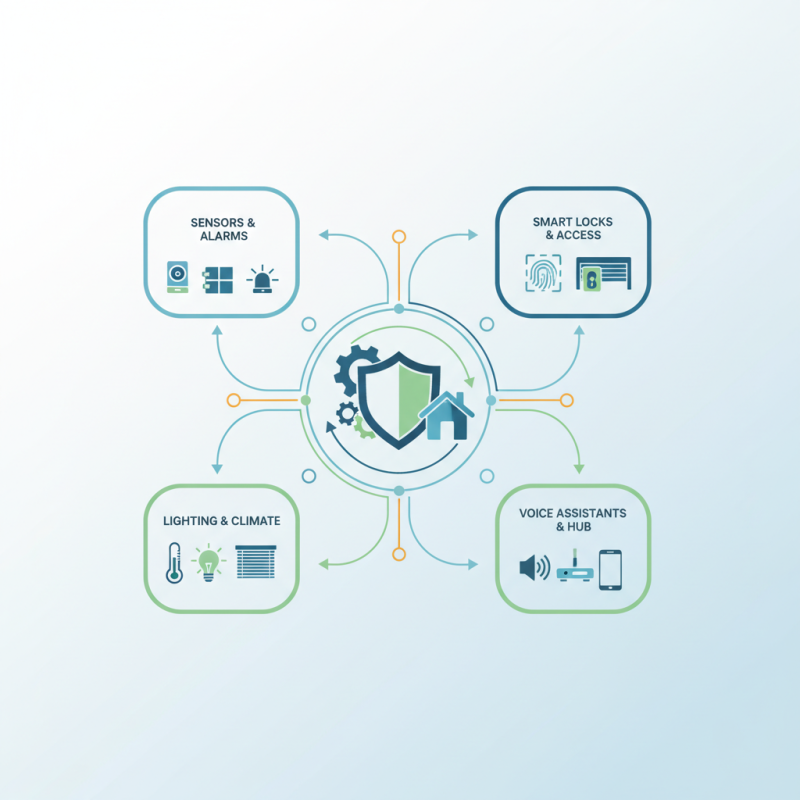
Smart home devices have revolutionized how we interact with technology in our daily lives. According to a report by Statista, the smart home market is projected to reach over $174 billion by 2025. These devices not only enhance convenience but also carry important security features. Smart cameras, door locks, and alarms often come equipped with encryption technology, allowing for secure remote access and monitoring.
However, integrating these devices with security systems requires careful consideration. Many homeowners overlook vulnerabilities that exist in smart technology. A study by the Ponemon Institute found that 60% of consumers are unaware of the security risks associated with smart devices. Without proper integration, these devices can present potential entry points for cybercriminals. It's essential to prioritize security capabilities when selecting smart devices, ensuring they possess strong authentication protocols.
Device compatibility can be another challenge. Not all smart home devices communicate seamlessly with existing security systems. Users might find it frustrating when devices do not sync properly, leading to gaps in home security. Regular updates and vigilance are necessary to mitigate these issues. Users must actively participate in maintaining their security setup to optimize the benefits offered by smart home technology. Identifying weak links in these systems is crucial for comprehensive security.
Integrating security systems with smart home devices can maximize safety and convenience. Evaluating compatibility is crucial before making purchases. Many smart devices may not work well with existing security systems. This can lead to frustrating experiences and wasted investments.
Look for common communication protocols, like Wi-Fi, Zigbee, or Z-Wave. These protocols help devices communicate seamlessly. However, not all devices support these standards, making it essential to do your homework. Reading product manuals and online reviews is a practical approach. You can find shared user experiences and tips for better integration.
Consider the technical specifications of your security system and smart devices. Some devices may have limited functionalities, which can hinder overall system performance. A basic camera may not integrate with an advanced alarm system. Take time to assess features and settings. This ensures your security setup meets your needs and expectations.
This chart illustrates the compatibility rating between various security systems and smart home devices based on recent evaluations. The compatibility score ranges from 0 to 100, indicating how well these systems can work together.
Integrating security systems with smart home devices can enhance safety and convenience. Start by assessing your current security setup. Identify which components are essential. This might include cameras, alarms, and motion detectors. Check compatibility with smart home protocols. Documentation from manufacturers can provide clarity on this.
Next, focus on the setup process. Begin connecting devices according to their instructions. Ensure that your network can handle multiple connections. Adding too many devices might slow down your system. Remember, consistency in updates is crucial for security. Regularly updating your devices helps protect against vulnerabilities.
After integration, monitor the system regularly. Test the functionality of alarms and cameras. User experience may reveal flaws. If something isn’t functioning as expected, don’t hesitate to make adjustments. Balancing security with usability often requires ongoing reflection and refinement. Consider user feedback seriously; it can lead to better system performance.
| Step | Task | Device Type | Integration Method | Notes |
|---|---|---|---|---|
| 1 | Choose a compatible smart home hub | Smart Home Hub | Wi-Fi / Zigbee | Ensure system compatibility |
| 2 | Connect security cameras | Cameras | Wi-Fi | Set up app for notifications |
| 3 | Add smart locks | Smart Locks | Z-Wave / Wi-Fi | Check for remote access features |
| 4 | Integrate motion sensors | Motion Sensors | Zigbee / Z-Wave | Link to alarm settings |
| 5 | Set up alerts and notifications | Smart Home App | App Configuration | Choose preferred alert methods |
| 6 | Test the system | All Devices | Functionality Check | Ensure all components work together |
Maintaining security in integrated smart home systems requires a thoughtful approach. It is essential to have a clear understanding of how each device interacts with others. Regular updates are critical. Outdated software can create vulnerabilities. Ensure that all devices receive the latest security patches.
Use strong, unique passwords for each device. A weak password can expose your entire system. It's wise to consider two-factor authentication where possible. This added layer of security can prevent unauthorized access. Regularly reviewing your security settings is another crucial practice. Systems often change, and so do security protocols.
Be mindful of possible risks. Not all devices are equally secure. Conduct research before integrating new technology. Look into the manufacturer's security practices and user reviews. It's also essential to train all household members on best security practices. Family members should understand how to respond to security alerts. Creating a culture of awareness can significantly enhance your home's safety.
Integrating security systems with smart home devices can enhance safety but often comes with challenges. A key issue is device compatibility. According to a recent industry study, more than 30% of users report problems integrating different brands. This often leads to frustration and decreased user satisfaction.
Another common issue is network connectivity. Smart devices may fall out of sync with security systems. A report by the Consumer Technology Association reveals that over 25% of smart home users face regular connectivity problems. These disruptions can compromise security and leave homes vulnerable. Users should consider optimizing their Wi-Fi settings to improve connectivity.
Lastly, firmware updates are crucial. Many users forget to update their devices, which can lead to functionality issues. Research shows that 40% of smart home security failures are linked to outdated software. Regular updates can not only enhance security but also improve overall system performance. Engaging with user forums can help identify common problems and solutions.
: Assess your current security setup and identify essential components like cameras and alarms.
Verify compatibility with smart home protocols and refer to manufacturer documentation for guidance.
Follow the connection instructions provided with each device, ensuring your network can manage multiple connections.
Adding too many devices may slow down your system. It's important to balance the number of devices connected.
Consistent updates help protect against vulnerabilities and improve the overall performance of your smart home security system.
Monitor the system, test the functionality of devices, and adjust settings based on performance feedback.
Device compatibility and network connectivity issues are frequent challenges, affecting over 30% and 25% of users, respectively.
Disruptions in sync can compromise security, leaving homes vulnerable. Optimizing Wi-Fi settings might help.
Many smart home security failures are linked to outdated software. Regular updates enhance security and can prevent issues.
Regularly consider user feedback to identify flaws and enhance the functionality of your security system.
In today's digital age, understanding how to integrate security systems with smart home devices has become essential for enhancing home safety. This process begins with recognizing the capabilities of various smart home devices and evaluating their compatibility with existing security systems. Homeowners can follow a step-by-step guide to facilitate the integration, ensuring a seamless connection that improves the overall functionality of both systems.
Moreover, maintaining security in an integrated smart home environment involves adhering to best practices, such as regular updates and monitoring for vulnerabilities. It's also vital to troubleshoot common issues that may arise during integration to ensure optimal performance. By effectively combining these technologies, homeowners can create a more secure and convenient living space.
SMTR SmartLiving